7 Best Shopify Product Bundle Apps for Bigger Baskets in 2026
Your ads are getting more expensive, yet many shoppers still check out with a single item. A well-built bundle can change that by giving each customer a good reason to add more to the cart. We compared the best Shopify bundle apps on pricing, bundle types and fit, so you can choose the right one and start building bigger baskets.
Getting customers to add more products to their carts is a common challenge for Shopify merchants. A shopper might visit your store to buy one product, even when complementary items, multipacks, or curated product sets could offer them more value.
This is where product bundling can help. By combining related products, offering discounts on multiple purchases, or allowing shoppers to build their own product boxes, merchants can encourage larger orders while making the shopping experience more convenient.
The right app can simplify this process. The best Shopify bundle apps help merchants create fixed product sets, quantity-based discounts, mix-and-match offers, and frequently bought together recommendations. Some also support inventory management, bundle analytics, and additional upselling features.
However, not every app suits every business. A skincare brand selling starter kits might need a different solution from a food brand offering multipacks or a gift store letting customers customise their own boxes.
In this guide, we’ll compare eight Shopify product bundle apps based on their features, pricing, Shopify App Store ratings, pros, cons, and ideal use cases to help you choose the right solution for your store.
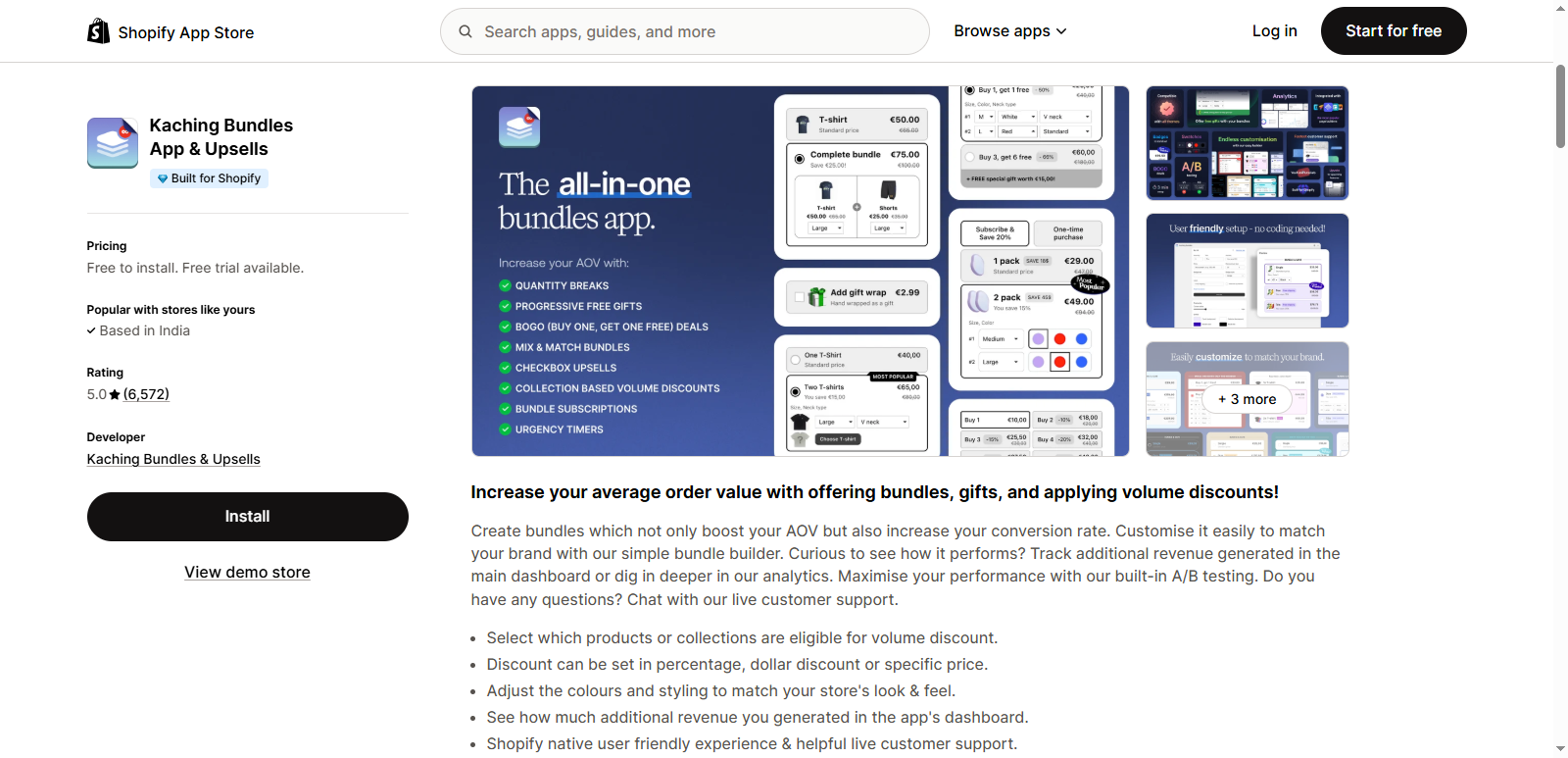
1. Kaching Bundles & Upsells: Best for Quantity Breaks and Product Page Offers
Best for: Shopify stores that want to encourage customers to purchase more units of the same product. Kaching Bundles & Upsells helps merchants create quantity-based discounts, product bundles, and promotional offers directly on product pages. Instead of purchasing a single item, shoppers can select a larger quantity to unlock a better price. For example, a skincare store could offer 10% off when customers buy two products and 20% off when they buy three. These tiered offers give shoppers a clear reason to increase their order size. Kaching also supports Buy One, Get One (BOGO) promotions, mix-and-match offers, and A/B testing, allowing merchants to experiment with different deals. Its product page widgets make it particularly useful for brands selling consumables, personal care products, supplements, and other items customers may purchase repeatedly.
Key Features
Quantity breaks: Offer different prices or discounts depending on the quantity purchased.
Product bundles: Combine products into offers that encourage customers to add more items.
BOGO promotions: Create buy-one-get-one offers to encourage additional purchases.
Mix-and-match offers: Allow shoppers to combine eligible products in a single offer.
A/B testing: Compare promotional variations to identify which offers perform better.
Pricing and Rating
Kaching offers paid plans starting at approximately $14.99 per month, with higher tiers based on the additional revenue attributed to the app. A free trial is available, and development-store availability may differ from live-store pricing. Its Shopify App Store listing has a rating of approximately 5.0 stars from more than 6,000 reviews. Check the current listing for the latest pricing and rating.
Pros and Cons
Pros
Cons
Supports quantity breaks and promotional bundles
Paid pricing increases with revenue tiers
Offers A/B testing for promotional offers
May be more than a small store needs
Provides product page offer widgets
Not primarily designed for complex build-your-own gift boxes
Useful for repeat-purchase products
Merchants should check discount compatibility with existing apps
2. Fast Bundle: Best for Mix-and-Match Product Bundles
Best for: Stores selling complementary products, curated combinations, and customizable bundles.
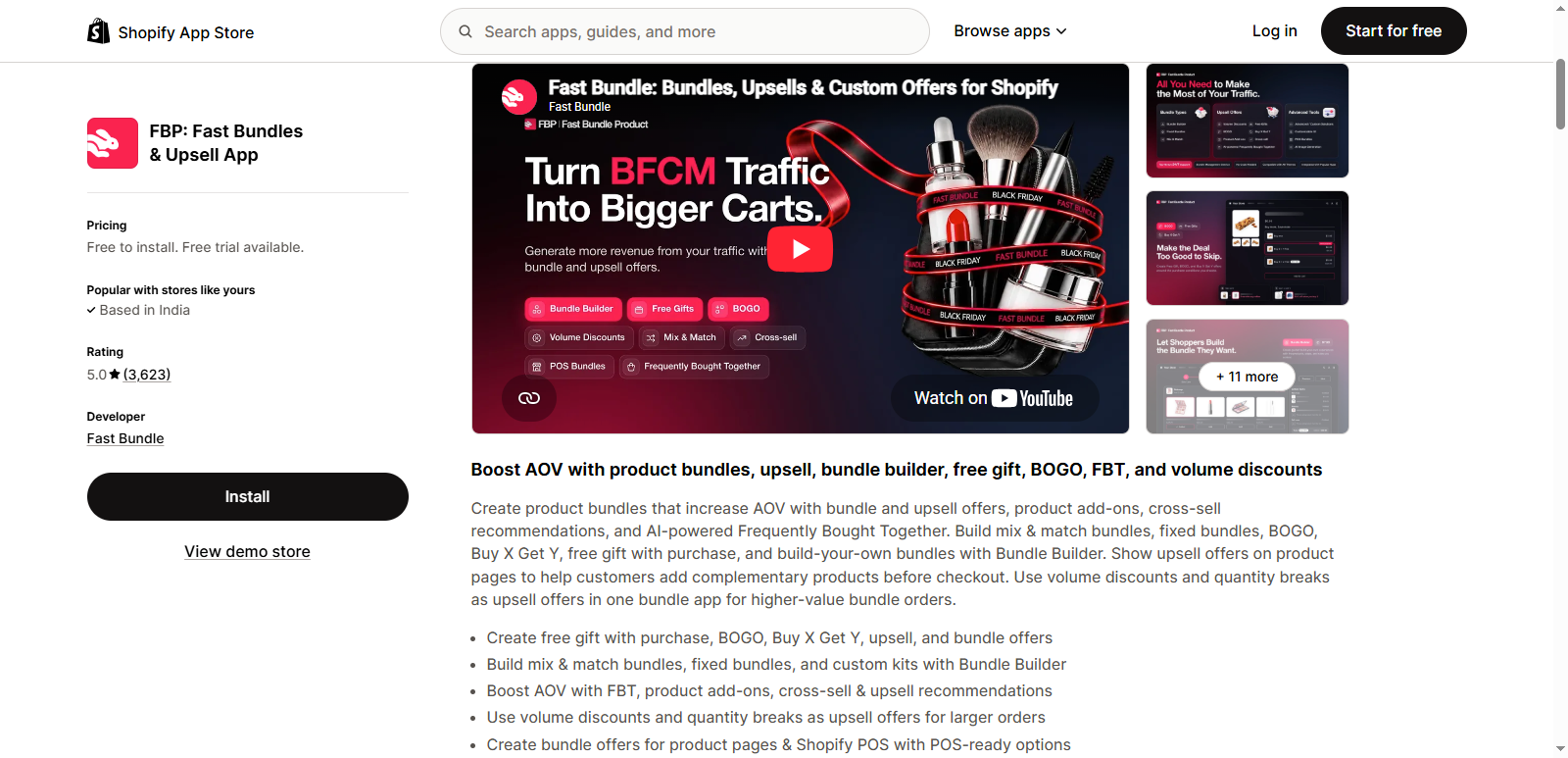
Fast Bundle offers multiple bundling formats, including fixed bundles, mix-and-match combinations, volume discounts, and frequently bought together offers. Its flexibility makes it useful for merchants who want to experiment with different ways of presenting products. A beauty brand, for example, could combine a cleanser and moisturizer into a skincare set or let customers select products from a collection to create their own combination. Fast Bundle also supports promotional offers and upselling features that can help merchants introduce related products during the shopping journey.
Key Features
Mix-and-match bundles: Let customers combine eligible products according to predefined rules.
Fixed bundles: Group complementary products into ready-made offers.
Frequently bought together: Recommend related products that shoppers can add together.
Volume discounts: Encourage larger purchases through quantity-based pricing.
Promotional offers: Create deals such as BOGO and other bundle discounts.
Bundle analytics: Monitor bundle performance to understand how offers contribute to sales.
Pricing and Rating
Fast Bundle has paid plans starting at approximately $19 per month, with higher tiers depending on bundle sales and plan limits. A trial or development-store option may be available under its current terms. The app has a Shopify App Store rating of approximately 5.0 stars, with more than 3,500 reviews. Pricing and ratings should be verified on its official listing before installation.
Pros and Cons
Pros
Cons
Supports multiple bundling formats
Advanced features may require a higher-priced plan
Useful for complementary product combinations
More configuration may be needed than with basic bundling tools
Offers frequently bought together promotions
Pricing can increase with bundle sales
Suitable for experimenting with different offers
Merchants should test storefront and checkout compatibility
4. Simple Bundles & Kits: Best for Inventory Management and Product Kits
Best for: Stores that sell multipacks, kits, and bundles that need to work with their existing inventory and fulfillment processes.
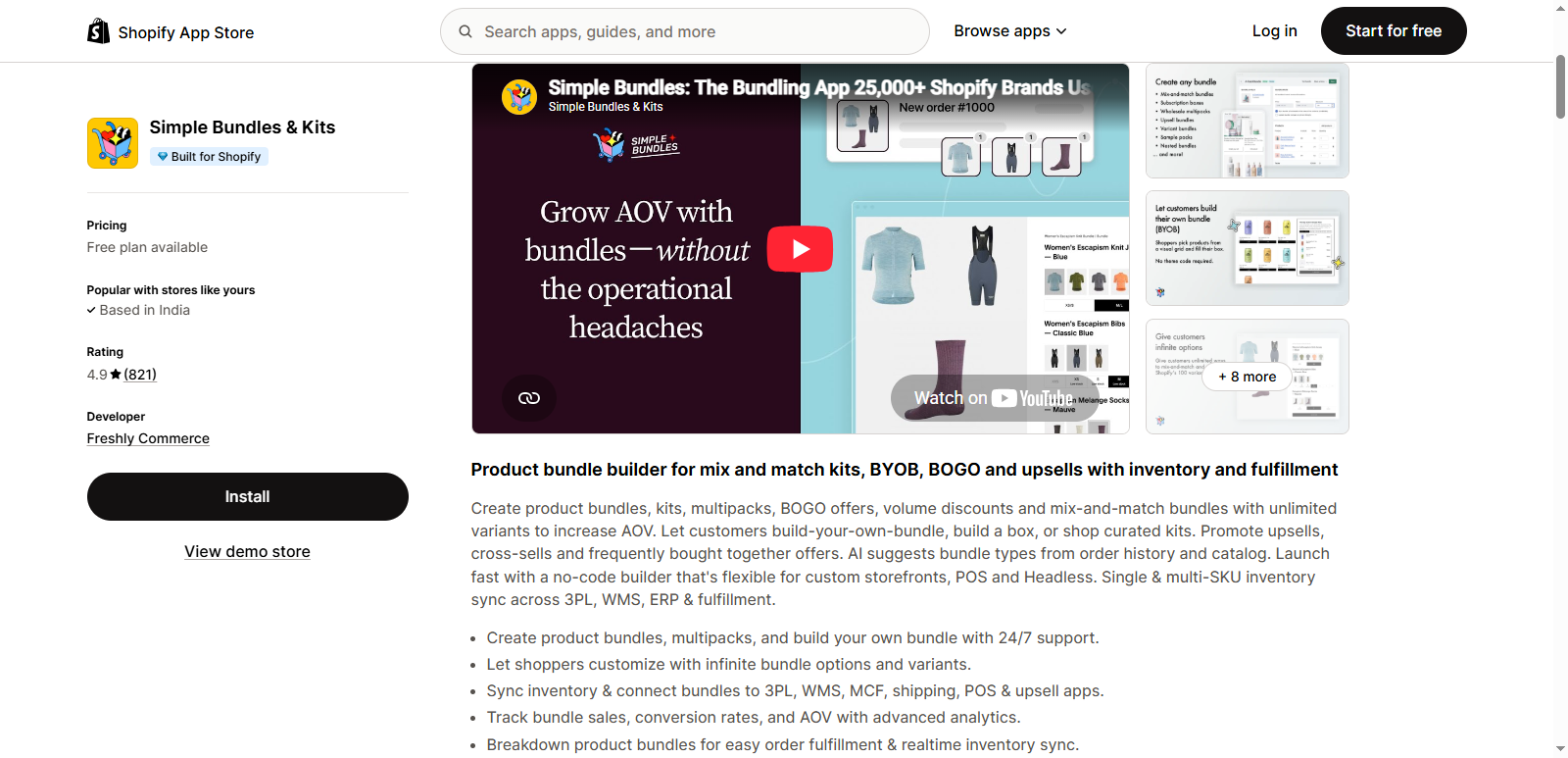
Simple Bundles & Kits focuses on helping merchants create bundles while managing the individual products that make up each set. This distinction matters when a bundle contains products that are also sold separately. If a customer purchases a kit containing a cleanser, serum, and moisturiser, the store needs to account for the inventory of all three products rather than treating the bundle as an unrelated item. Simple Bundles supports several bundling workflows, including multipacks, kits, and customizable combinations. It also offers functionality for integrating with fulfilment operations, making it worth considering for stores with more complex product catalogues.
Key Features
Product kits: Combine multiple individual products into a single offer.
Multipacks: Sell several units of the same product together.
Mix-and-match bundles: Support selected customizable product combinations.
Inventory synchronisation: Help track the individual components used in bundles.
Fulfilment integrations: Support workflows involving external fulfilment systems.
Point of Sale compatibility: Relevant functionality is available for supported retail workflows.
Pricing and Rating
Simple Bundles offers a limited free plan. Paid pricing starts at approximately $24 per month according to October 2026 reference data, although pricing may vary by plan and usage.
The app has a Shopify App Store rating of approximately 4.9 stars, with around 800 reviews. Check the official listing for current plan limits and pricing.
Pros and Cons
Pros
Cons
Useful for stores with multiple bundle components
Setup may require more planning than basic bundles
Supports inventory and fulfillment workflows
Free-plan limits may be restrictive
Suitable for multipacks and product kits
Advanced functionality may require a paid plan
Can support more complex product catalogs
Merchants must confirm compatibility with their fulfillment setup
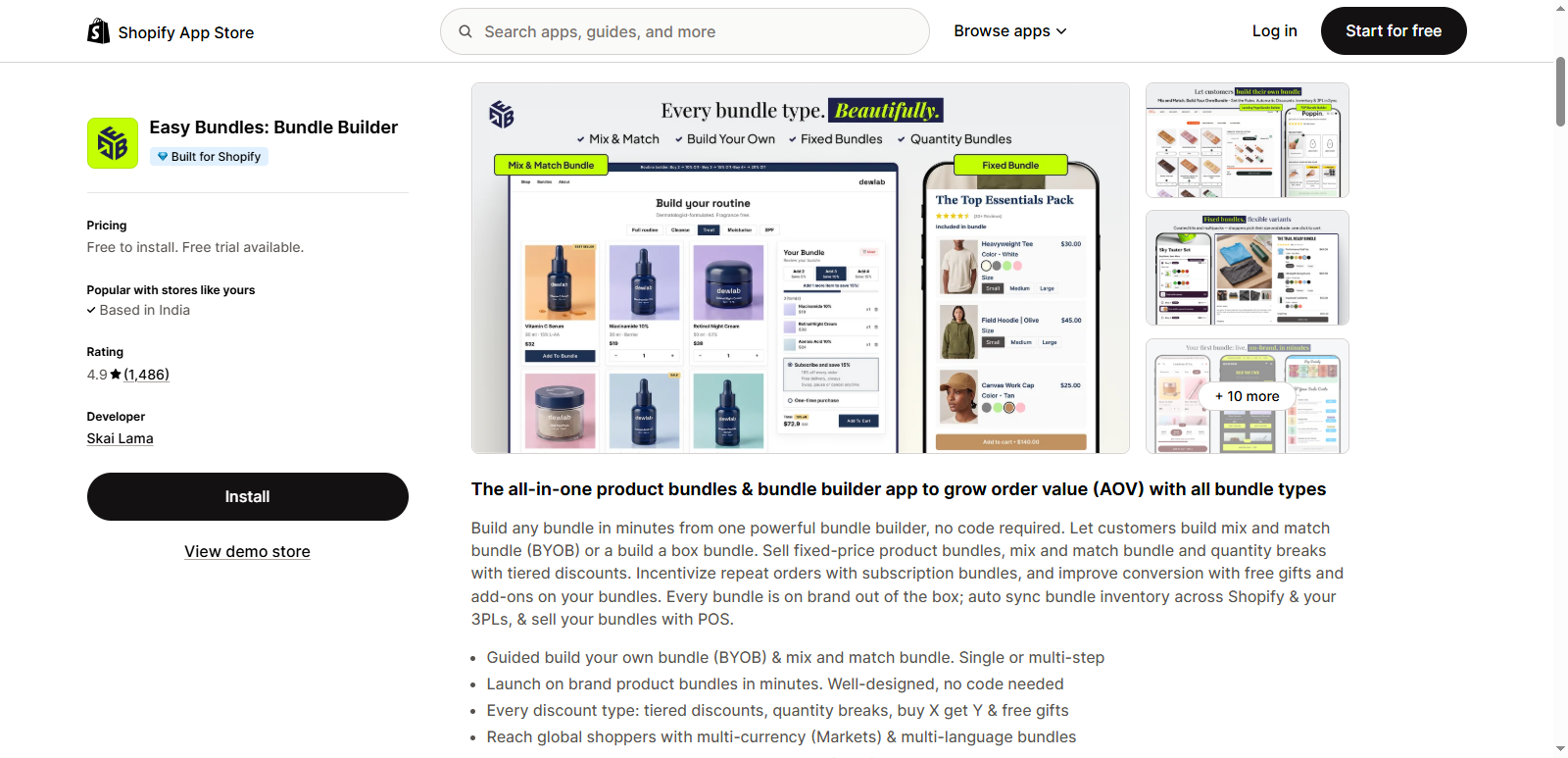
5. Easy Bundles – Bundle Builder: Best for Build-Your-Own Boxes
Best for: Gift stores, subscription-box businesses, and brands that let customers choose their own products.
Easy Bundles – Bundle Builder helps merchants create customizable bundle experiences in which shoppers select products according to predefined rules.
Instead of selling only ready-made combinations, a merchant can let customers build a box by choosing from an eligible collection. This approach can make product selection more interactive and give shoppers greater control over what they purchase.
For example, a gourmet food store could let customers select six products from a collection of snacks, spreads, and beverages to create a personalized gift box.
Easy Bundles supports different bundle formats, including fixed-price bundles, mix-and-match combinations, and build-your-own boxes. Its customization options make it relevant for brands that want their bundles to be a central part of the shopping experience.
Key Features
Build-your-own boxes: Allow shoppers to choose products for a customized bundle.
Mix-and-match functionality: Let customers combine eligible items.
Bundle pricing: Configure prices according to supported bundle rules.
Storefront customization: Adapt the bundle-building experience to the store.
Inventory-related functionality: Manage bundle components according to the app’s supported setup.
Pricing and Rating
Easy Bundles offers a free entry-level option subject to eligibility and bundle-sales limits. Paid plans start at approximately $29 per month, with higher tiers available for stores with greater sales volumes.
The app has a Shopify App Store rating of approximately 4.9 stars, with more than 1,400 reviews.
Pros and Cons
Pros
Cons
Supports customizable shopping experiences
Advanced plans can become expensive
Useful for gift boxes and curated collections
Sales limits may affect the free option
Offers several bundling formats
Initial setup can take longer than fixed bundles
Gives shoppers more product-selection flexibility
Merchants should test component inventory and fulfilment
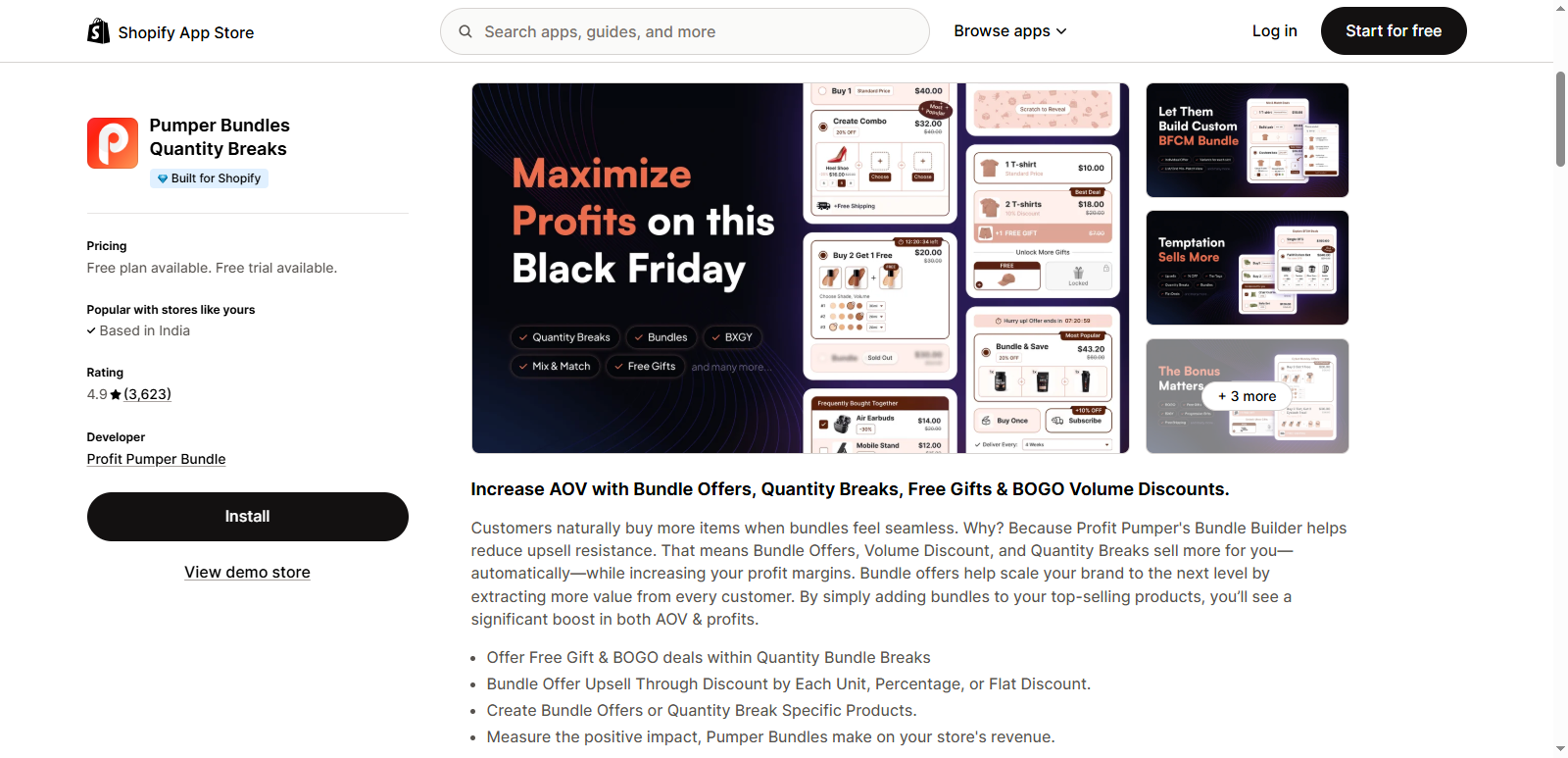
6. Pumper Bundles Volume Discount: Best for Quantity-Based Promotions
Best for: Merchants who want customers to buy more units of a product to unlock a better price.
Pumper Bundles Volume Discount focuses on quantity-based offers and volume discounts. It helps merchants display promotional pricing that rewards shoppers for purchasing multiple units.
For example, a store selling reusable water bottles could offer a discount when a customer buys two bottles and a larger discount when they buy four. Similarly, a beauty brand could use quantity tiers to encourage customers to purchase multiple units of a frequently used product.
These offers are useful when the main objective is increasing the quantity purchased rather than letting customers build a completely customized bundle.
Pumper also offers promotional widgets and additional features for creating and presenting offers on product pages.
Key Features
Quantity breaks: Offer different discounts at different purchase quantities.
Volume discounts: Encourage customers to buy more units.
Product page widgets: Display available offers alongside product information.
Promotional pricing: Configure eligible discounts and quantity-based deals.
Offer customization: Adapt the presentation of offers to the storefront.
Pricing and Rating
Pumper offers a free starting plan, with paid plans beginning at approximately $9.99 per month in October 2026 reference data. Higher tiers may depend on the additional revenue attributed to the app.
Its Shopify App Store rating is approximately 4.9 stars, based on more than 3,500 reviews. Check the official listing for the current pricing structure and eligibility requirements.
Pros and Cons
Pros
Cons
Focuses on quantity-based discounts
Less suited to complex build-your-own boxes
Offers a free entry-level option
Paid tiers may increase with attributed revenue
Helps display quantity offers on product pages
Merchants need to calculate discounts against product margins
Useful for repeat-purchase products
May overlap with existing discount apps
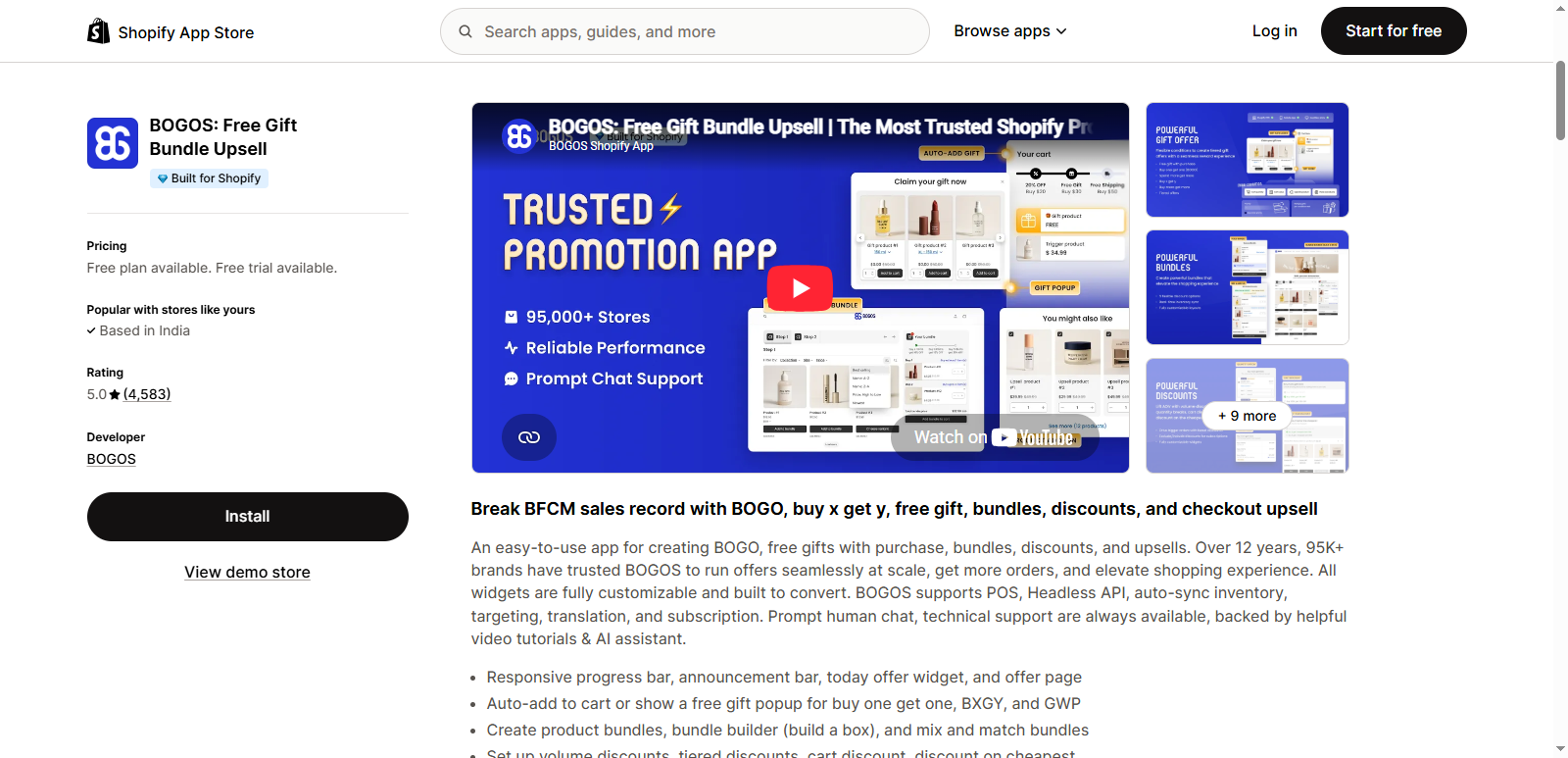
7. BOGOS: Free Gift Bundle Upsell: Best for Free Gifts and BOGO Promotions
Best for: Merchants who want to combine product bundling with promotional offers and free gifts.
BOGOS: Free Gift Bundle Upsell combines free-gift promotions, Buy X Get Y offers, and product bundling functionality.
Its approach is slightly different from that of apps focused primarily on fixed bundles or quantity breaks. Merchants can use promotional incentives to encourage customers to add qualifying products or spend more to receive a reward.
For example, a beauty store could offer a complimentary sample when customers purchase two products. A homeware store could offer a free accessory once the cart reaches a specified value, subject to the promotion’s configuration.
BOGOS is worth considering if you want to combine product bundles with gifts and other purchase incentives rather than manage each promotion separately.
Key Features
Free gifts: Reward qualifying purchases with an eligible complimentary product.
BOGO offers: Create buy-one-get-one promotions.
Buy X Get Y: Offer a qualifying product when customers purchase specified items.
Product bundles: Combine bundling with promotional offers.
Cart-based incentives: Encourage customers to meet configured purchase thresholds.
Promotion management: Manage multiple promotional mechanics within the app.
Pricing and Rating
BOGOS has a free entry-level option with usage restrictions. Paid plans start at approximately $29.99 per month in October 2026 reference data, with higher tiers and potential additional charges depending on the plan.
The app has a Shopify App Store rating of approximately 5.0 stars, with more than 4,500 reviews. Verify the current pricing, order allowance, and additional fees on the official listing.
Pros and Cons
Pros
Cons
Supports free gifts and BOGO promotions
More expensive than basic bundling tools
Combines several promotional mechanics
Some plans have order limits or additional charges
Useful for threshold-based incentives
Promotions require careful configuration
Can complement product bundling strategies
Not necessary if you only need simple fixed bundles
The 8 Best Shopify Bundle Apps at a Glance
The following comparison highlights eight options for different bundling needs. Pricing and ratings are based on information available in October 2026; check the linked app listings for the latest figures before installing.
App
Best for
Starting price
Shopify App Store rating
Kaching Bundles & Upsells
Quantity breaks and product page offers
$14.99/month
★ 5.0/5 (approx. 6,400 reviews)
Fast Bundle & Upsell App
Mix-and-match and product combinations
$19/month
★ 5.0/5 (approx. 3,600 reviews)
Bundler – Product Bundles
Budget-friendly bundling
Free; paid plans from approx. $9.99/month
★ 4.9/5 (approx. 2,700 reviews)
Simple Bundles & Kits
Product kits and inventory management
Free plan; paid plans from approx. $24/month
★ 4.9/5 (approx. 800 reviews)
Easy Bundles – Bundle Builder
Build-your-own bundles and boxes
Free within eligible sales limit; paid from approx. $29/month
★ 4.9/5 (approx. 1,400 reviews)
Pumper Bundles Volume Discount
Quantity discounts and bulk purchases
Free plan; paid plans from approx. $9.99/month
★ 4.9/5 (approx. 3,600 reviews)
BOGOS: Free Gift Bundle Upsell
Free gifts, BOGO offers, and promotional bundles
Free within eligible allowance; paid from approx. $29.99/month
★ 5.0/5 (approx. 4,500 reviews)
How to Choose the Best Shopify Bundle App for Your Store
The best choice depends on your products, pricing strategy, and operational requirements. Before installing an app, identify the type of bundle you want to offer and how you plan to measure its performance.
1. Identify the Type of Bundle You Need
Different apps support different bundling methods.
Your requirement
Apps to consider
Fixed product sets and multipacks
Bundler
Quantity breaks and volume discounts
KachingPumperBundler
Mix-and-match combinations
Fast BundleEasy BundlesBundler
Build-your-own gift boxes
Easy BundlesFast Bundle
Inventory management for product kits
Simple Bundles & Kits
Free gifts and BOGO promotions
BOGOSKaching
Frequently bought together offers
Fast BundleKaching
These are starting points, not exclusive capabilities. Check each app’s current feature list to confirm that it supports your intended workflow.
2. Compare Pricing Beyond the Starting Plan
An app advertised as free or inexpensive may have limitations that become important as your store grows.
Some providers charge a flat monthly subscription, while others set prices according to bundle sales, additional revenue, or order volume. These differences can affect your total cost.
Before installing an app, check:
Whether the free plan is available on a live store.
How many bundles or orders the plan includes.
Whether pricing changes as your sales increase.
Whether the app charges additional transaction or usage fees.
Which features require an upgrade.
A flat monthly plan may be easier to budget for, while a usage-based plan may offer a lower entry cost. Compare the likely monthly bill against the value the app provides.
3. Check Inventory and Fulfillment Requirements
Inventory management is especially important when bundled products are also sold individually.
Suppose a bundle contains three products, but one component goes out of stock. Your store needs to handle that situation correctly so customers do not purchase unavailable items.
Check whether the app:
Tracks inventory at the component level.
Updates stock when a bundle is purchased.
Handles product variants correctly.
Displays bundle components appropriately in orders.
Works with your warehouse, fulfillment provider, or point-of-sale setup.
Shopify’s native Bundles app supports component inventory tracking for fixed bundles and multipacks, while apps such as Simple Bundles & Kits offer additional functionality for more involved workflows.
4. Consider Storefront Design and Performance
Bundle offers should be easy to understand and use.
A poorly presented bundle can confuse shoppers, especially if the discount, included products, or quantity requirements are unclear.
Look for an app that lets you:
Display bundle options clearly on product pages.
Show the savings associated with an offer.
Customize the appearance of bundle widgets.
Provide a smooth mobile shopping experience.
Avoid conflicts with your theme, cart, and other apps.
Test the app on both desktop and mobile before making it available to all customers.
5. Measure Profitability, Not Just Average Order Value
Bundles can increase average order value, but a larger order does not automatically mean a more profitable one.
For example, a customer might spend more after receiving a substantial bundle discount. However, the discount, product costs, shipping expenses, and app fees could reduce the profit generated by that order.
Track metrics such as:
Average order value.
Bundle attachment rate.
Conversion rate.
Gross profit per order.
Revenue and profit generated by bundle offers.
Repeat purchase rate.
Use these results to determine whether your bundle strategy is creating sustainable growth rather than simply increasing the amount customers spend.
Use a Loyalty Program to Turn Bigger Baskets Into Repeat Orders
A bundle app raises the value of a single order, but it does not give the customer a reason to come back. Pairing your bundles with a Shopify rewards program closes that gap, so a larger first basket can lead to a second order instead of ending with a one-time discount.
Replace Part of the Bundle Discount With Points
Deep bundle discounts cost you margin on every order, whether or not the customer ever returns. Points let you lower the upfront discount and move part of the reward to the next purchase.
Imagine a skincare kit priced at $60. A 20% discount gives away $12 on every order. A 10% discount plus points worth $3 costs $9 at most, and you only pay that $3 when the customer returns to redeem it.
Give Bundle Buyers a Faster Path to VIP Status
Bundles lift order value, which makes them a natural way to help customers move through a VIP rewards program. If your tiers are based on spend, tell shoppers how close a bundle will bring them to the next level. A message such as “This kit puts you $20 away from Gold” gives them one more reason to choose the larger offer.
Set Milestones for the Next Purchase
Milestone rewards give customers a clear goal after their first bundle. You could offer a bonus when a customer reaches a set spend or places a third order. This works especially well for consumables, because the bundle gets the product into their routine and the milestone rewards them for restocking.
Reward Reviews on Your Bundles
A bundle page often needs more proof than a single product page, because shoppers are committing to several items at once. Review rewards encourage buyers to share honest feedback on the set, which helps the next shopper decide. Ask for the review after customers have had time to use the products, and reward them for leaving a review, not for leaving a positive one.
Match the Reward to the Bundle Type
Different bundle formats suit different loyalty incentives. Use the table below as a starting point.
Bundle type
Loyalty incentive to try
Why it fits
Fixed product kits
Bonus points on the kit
Protects margin compared with a deeper discount
Quantity breaks
Spend-based milestone
Rewards customers who regularly stock up
Build-your-own boxes
Points for a product review
Gives you proof for a customized offer
Gift bundles
Points for referring a friend
Reaches the new customers that gifts can introduce
Subscription-friendly bundles
VIP tier progress
Rewards long-term spending
Check How Your Apps Work Together
Before launch, confirm how your loyalty app counts a bundle order. Check whether points are based on the discounted price, whether redeemed points can stack with the bundle discount, and how returns of a single item affect points already earned. Place a test order to catch any problems. Once the program is live, compare the repeat purchase rate of bundle buyers against other customers to see whether it is bringing them back.
Final Thoughts
Product bundling gives Shopify merchants another way to encourage larger purchases while helping customers discover complementary products. The right app can make it easier to create offers, manage bundle components, and test different pricing strategies.
However, there is no single best solution for every store.
Choose Kaching if quantity breaks and product page offers are your priority.
Choose Fast Bundle if you need flexible product combinations.
Choose Bundler if you want an affordable way to start bundling.
Choose Simple Bundles & Kits if inventory and fulfillment workflows are important.
Choose Easy Bundles if you want customers to build their own boxes.
Choose Shopify Bundles if you only need simple fixed bundles or multipacks.
Choose Pumper if you want to encourage larger purchases through quantity discounts.
Choose BOGOS if free gifts and promotional offers are central to your strategy.
Start by identifying your most important bundling requirement, then compare the app’s features, pricing, and compatibility with your existing store. Once your offer is live, monitor both average order value and profit to understand whether it is delivering meaningful results.
Increase Repeat Orders with Retenzy
Add points, referrals, and VIP rewards to your Shopify store in under 5 minutes.
At Retenzy, we believe customer retention should be simple, effective, and growth-driven. Our team is dedicated to helping brands build stronger relationships with their customers through loyalty programs, milestones, reviews, and analytics.
Take 60 seconds to tell us about your brand. Our experts will analyze your details and contact you to craft a personalized strategy for scaling your business.